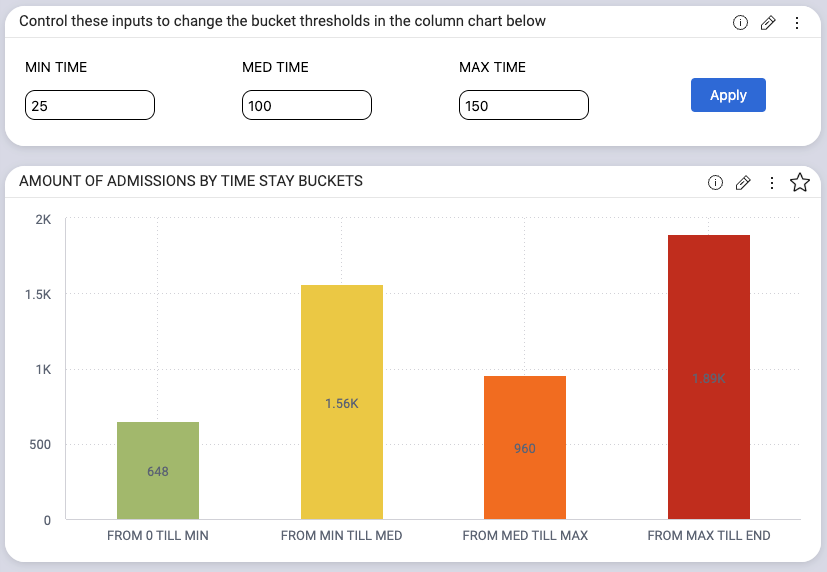
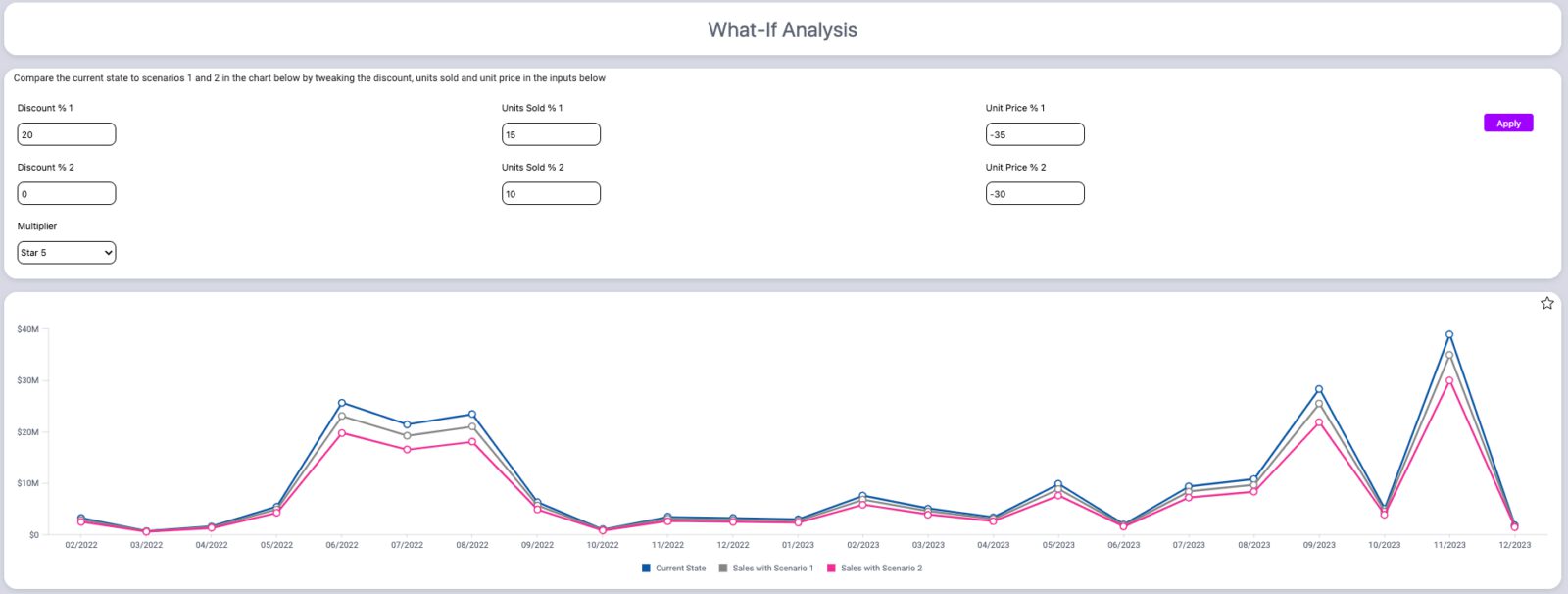
Traditional dashboards often limit users to viewing historical data without the ability to model future scenarios or interactively refine insights. Predictive analytics and advanced modeling typically require technical expertise, making them inaccessible to many business users. Without dynamic input controls, decision-makers struggle to adjust key assumptions, conduct what-if analysis, or perform scenario modeling directly within their dashboards.
Input Parameters empowers users with interactive, self-service analytics by enabling real-time data adjustments within dashboards. With flexible input controls, users can modify key variables, run sensitivity tests, and visualize potential outcomes instantly without requiring coding or complex modeling.

Input Parameters Key Features:
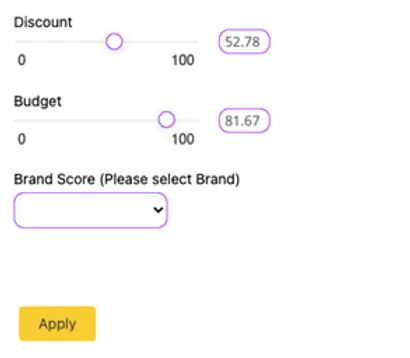
- Extensive visual customization – Designers can control the layout, styling, and appearance of input fields to match dashboard themes.
- Real-time update & reset controls – Users can apply changes instantly or batch selections for improved workflow.
- Flexible input types – Choose from sliders, numeric inputs, dropdowns, and more for intuitive data interaction.
- Dynamic parameterization – Predefine selectable values using reference tables, ensuring data consistency and reducing manual input.
- Advanced analytics support – Enables what-if analysis, scenario modeling, sensitivity testing, and more.
- Seamless formula integration – Use input parameters in advanced formulas, including CASE/WHEN statements, without extra setup.

With Input Parameters, dashboards evolve into more interactive decision-making tools. By giving users the power to manipulate data in real-time, conduct advanced analysis, and customize their insights, this solution enhances self-service analytics for business users and analysts alike.

Whether for forecasting, scenario planning, or sensitivity testing, Input Parameters ensures that users can explore data dynamically and make informed, data-driven decisions with confidence.
Input Parameters is compatible with: