Free

- Marketplace
Dashboard Toolbar
Read More

MARKETPLACE
By QBeeQ
A pixel-perfect report designer and scheduler, built natively inside Sisense.
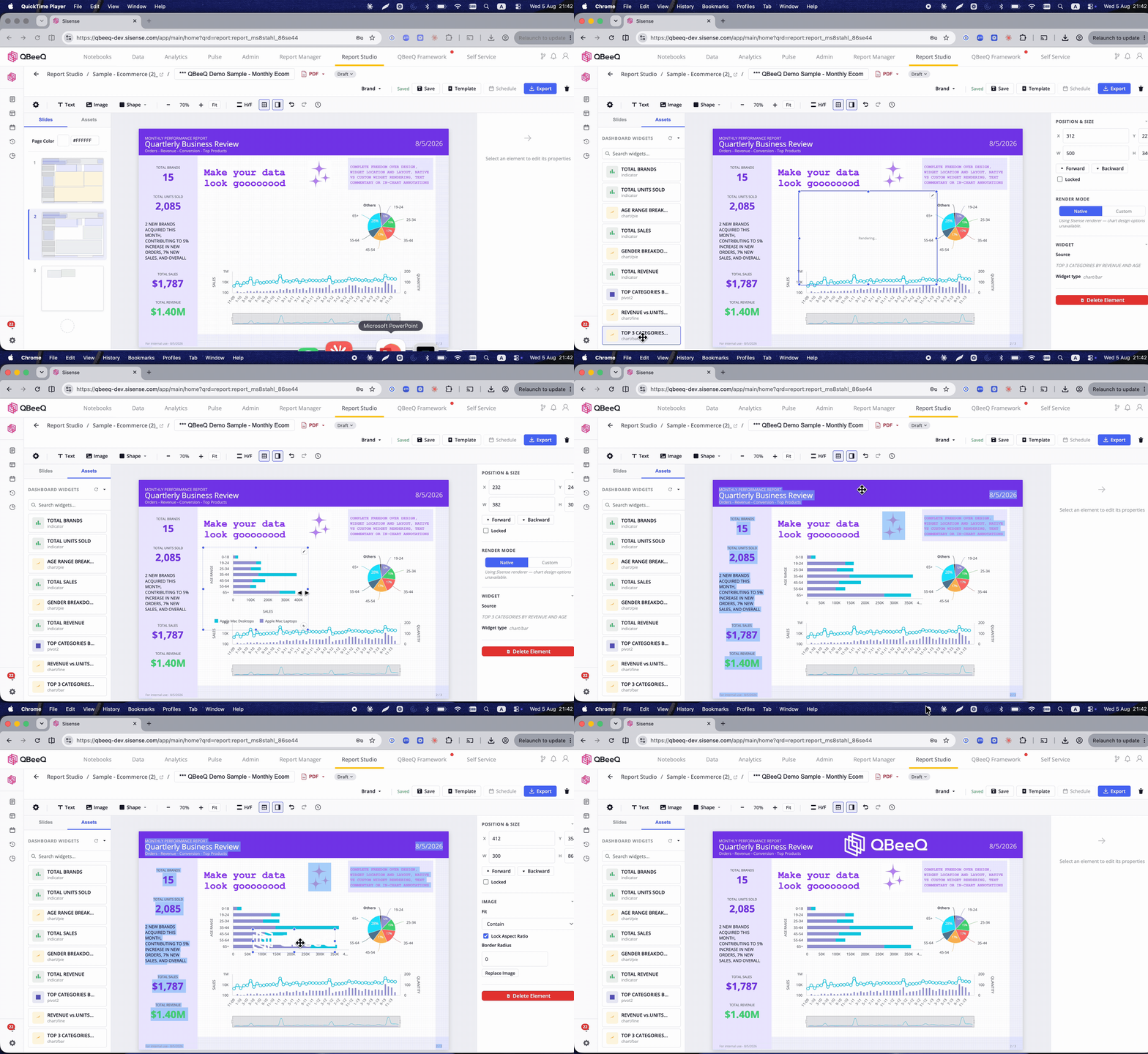
A dashboard is built for exploring data. A report is built for handing someone an answer. Report Studio gives Sisense teams a dedicated space to design that answer as its own asset – with real page boundaries, full brand control, and delivery that runs on the data as it is right now.
Design and delivery both live inside your Sisense server. No external server, no standalone app, no separate system-admin access to grant to a third party.
What it does
Instead of starting from a dashboard and working backward, you design the report as its own asset on a freeform canvas – pulling in the data you need from across your Sisense environment. Render widgets as native Sisense visuals or fully custom ones, with complete design control over every element on the page: text boxes, shapes, images, backgrounds, brand colors.
What you design is what gets exported. Every widget – tables, charts, KPI tiles, any visualization on the canvas – renders the output exactly as positioned and sized. No resizing you didn’t choose. No truncated tables or choppy widgets. No surprises between the design and the file that lands in someone’s inbox.
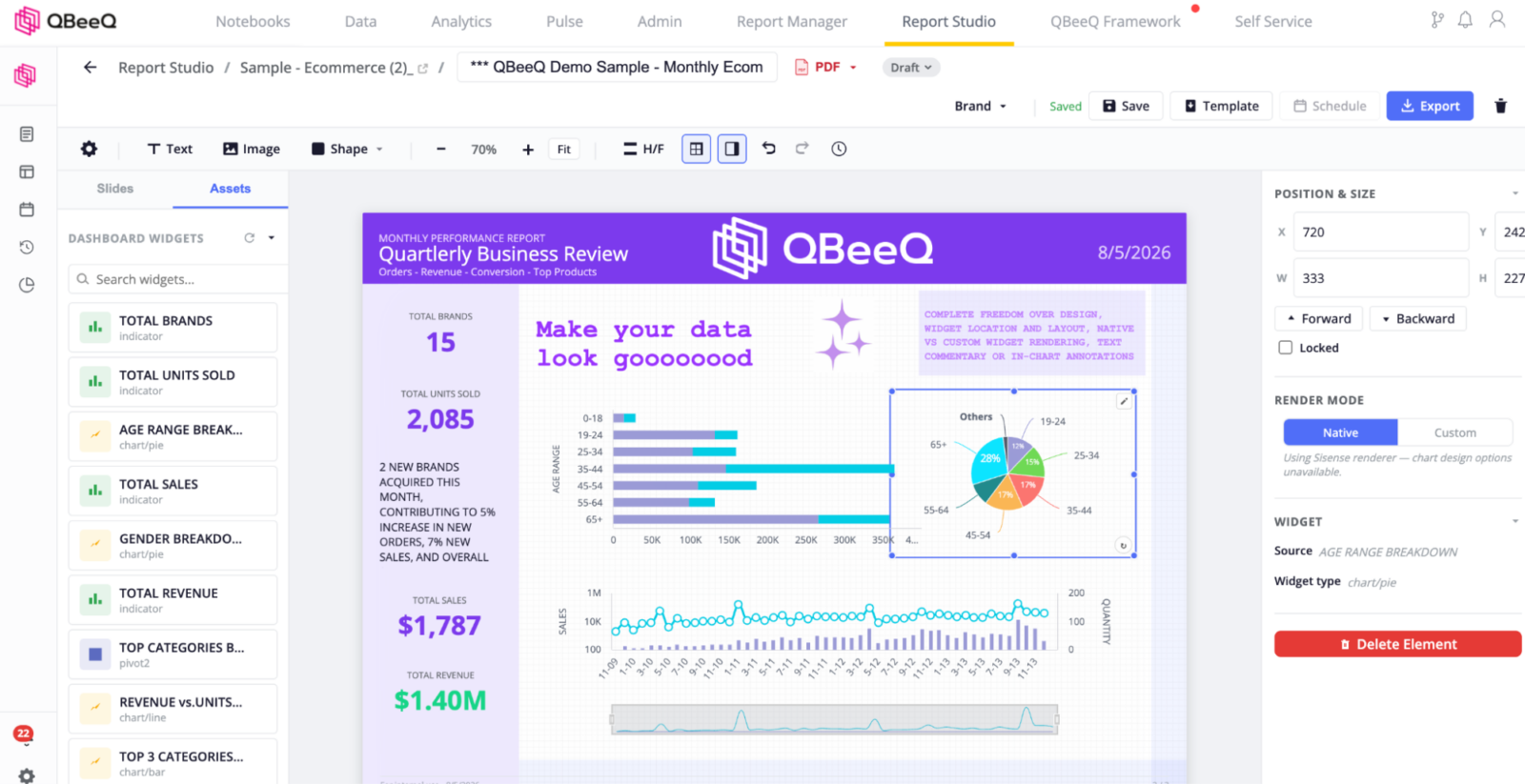
Design
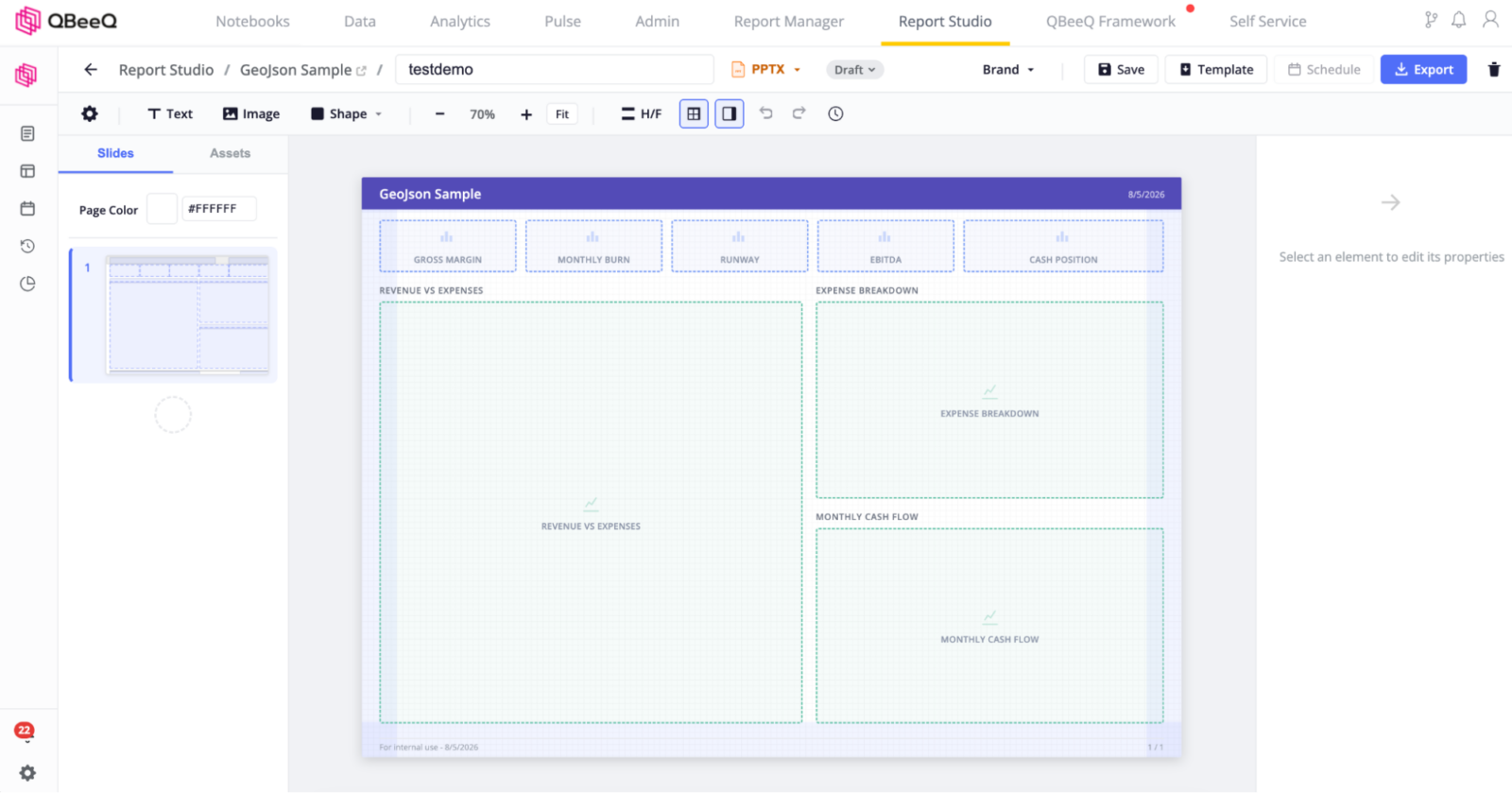
Freeform canvas, real page boundaries – Design reports the way you’d design a page, not a dashboard that happens to get exported. Page size, orientation, margins, and page color are all yours to set.
Guided report creation – A short, structured wizard sets your format, layout, name, and source dashboard before you ever reach the canvas – which opens already configured and ready to build.
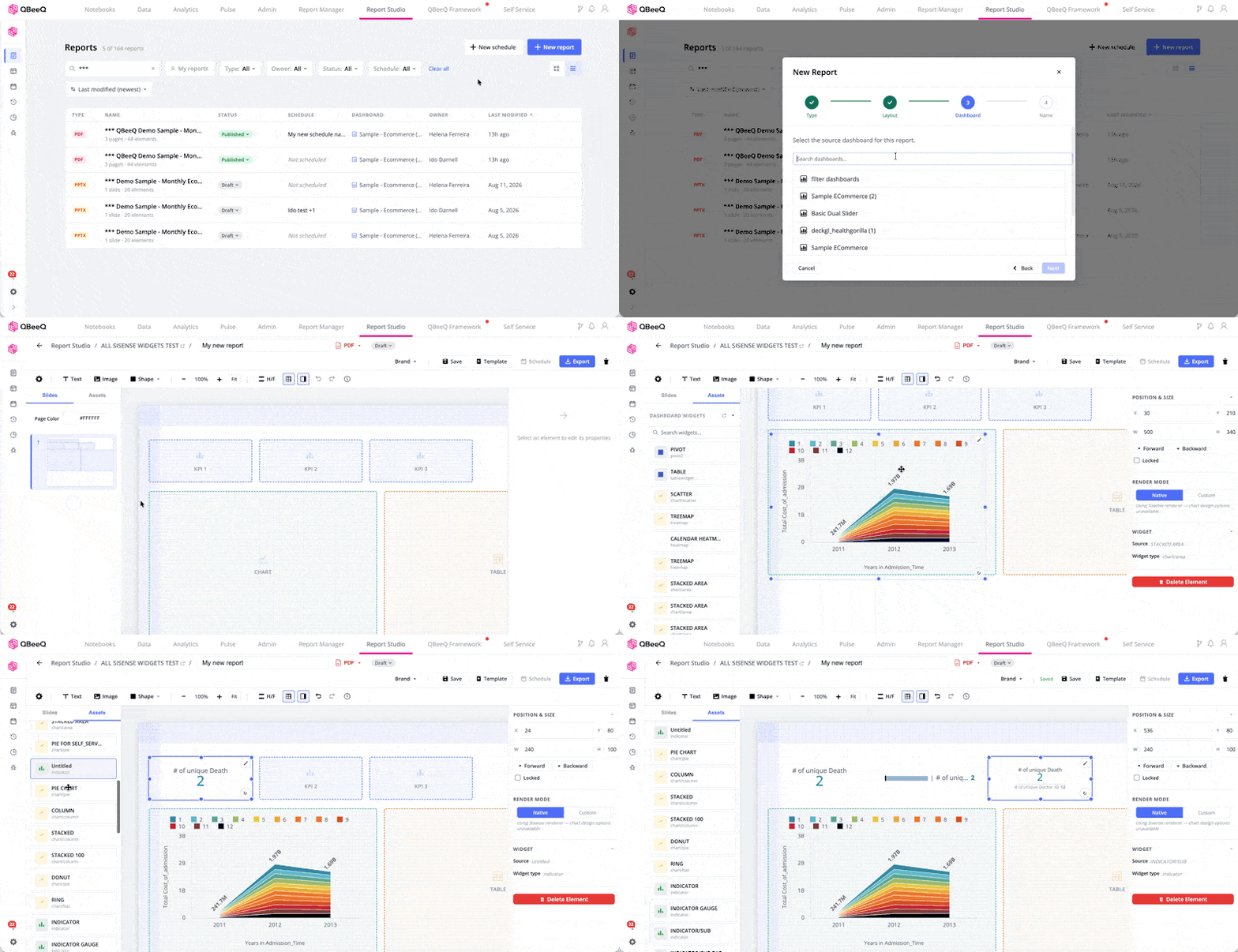
Format-aware canvas defaults – The canvas is pre-configured based on the report format you choose, with full manual control available from the toolbar.
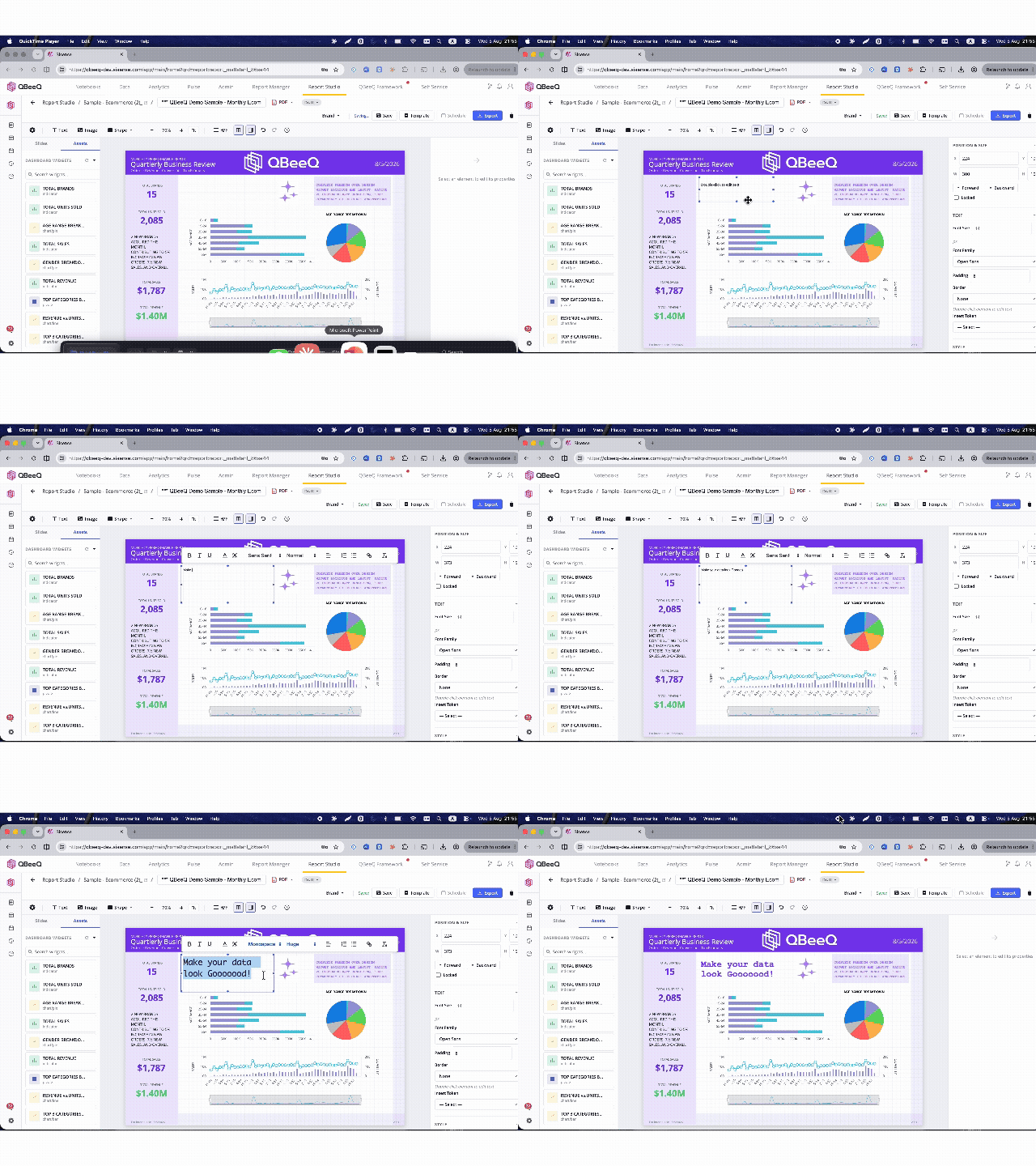
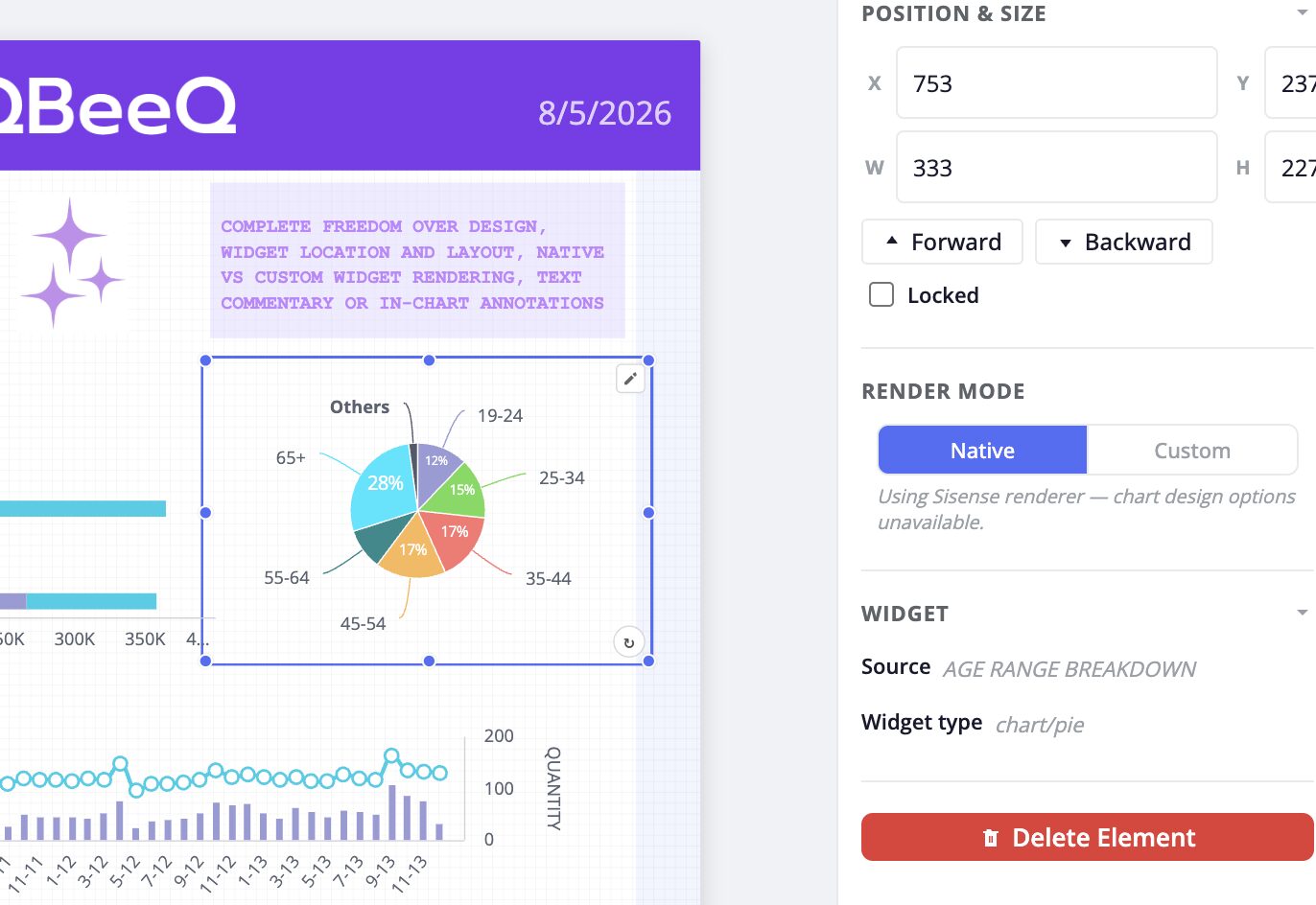
Full visual control – Add images for logos, text boxes for in-chart annotation and commentary, shapes for structure, and tokens for dynamic data labels. Every element on the page is under your control, not just the data widgets.
Native or custom widget rendering – Keep a widget exactly as it renders in Sisense today, or redesign it completely with a different chart type, palette, or sizing.
Templates & Branding
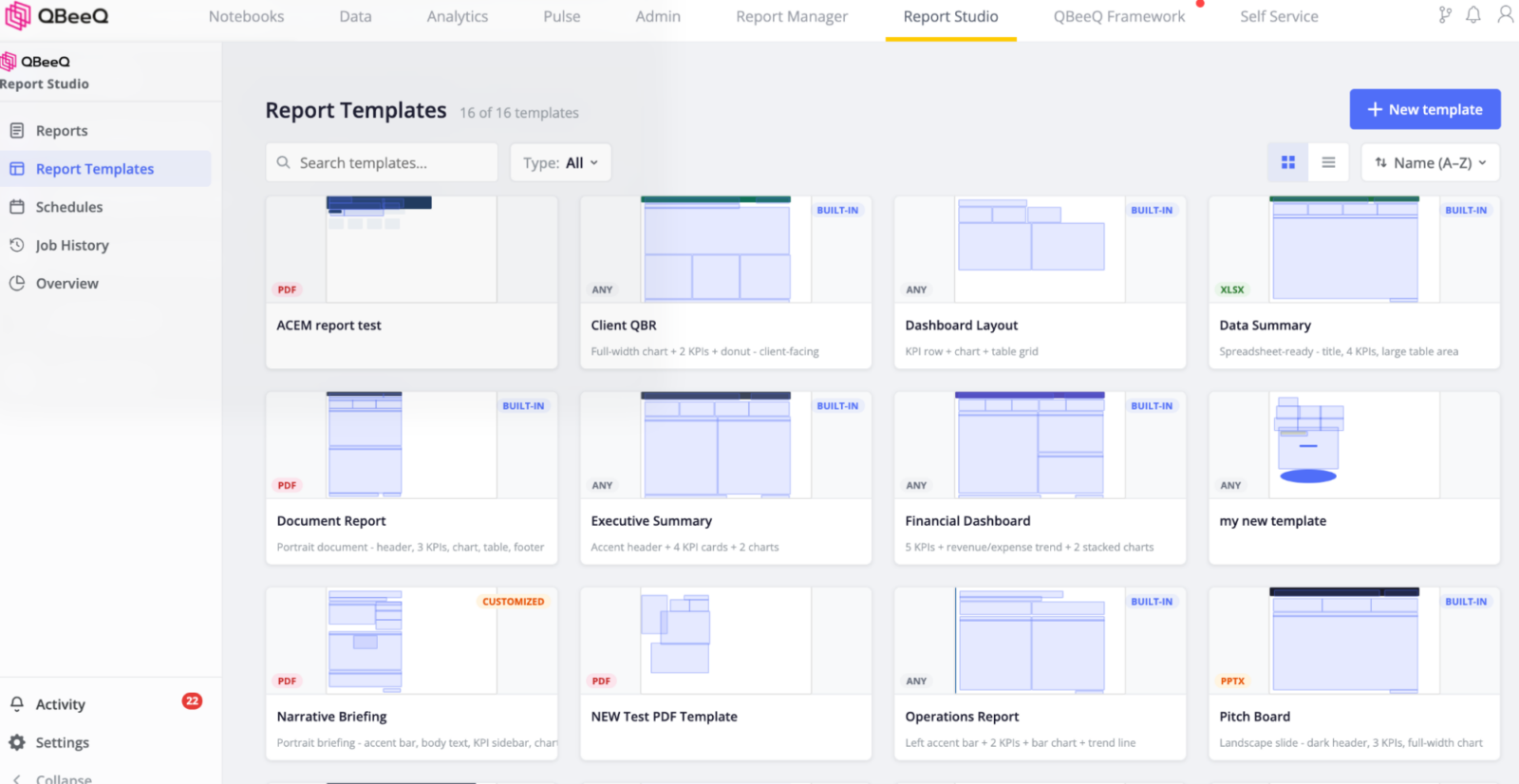
Templates – Start from a layout template or build from scratch. Every widget on the canvas is your choice.
Brand profiles – Save colors, fonts, logo, and chart palette per brand and apply them in one click. If you’re producing reports for more than one audience – different clients, different business units – each one gets its own consistent look without rebuilding it every time.
Distribution
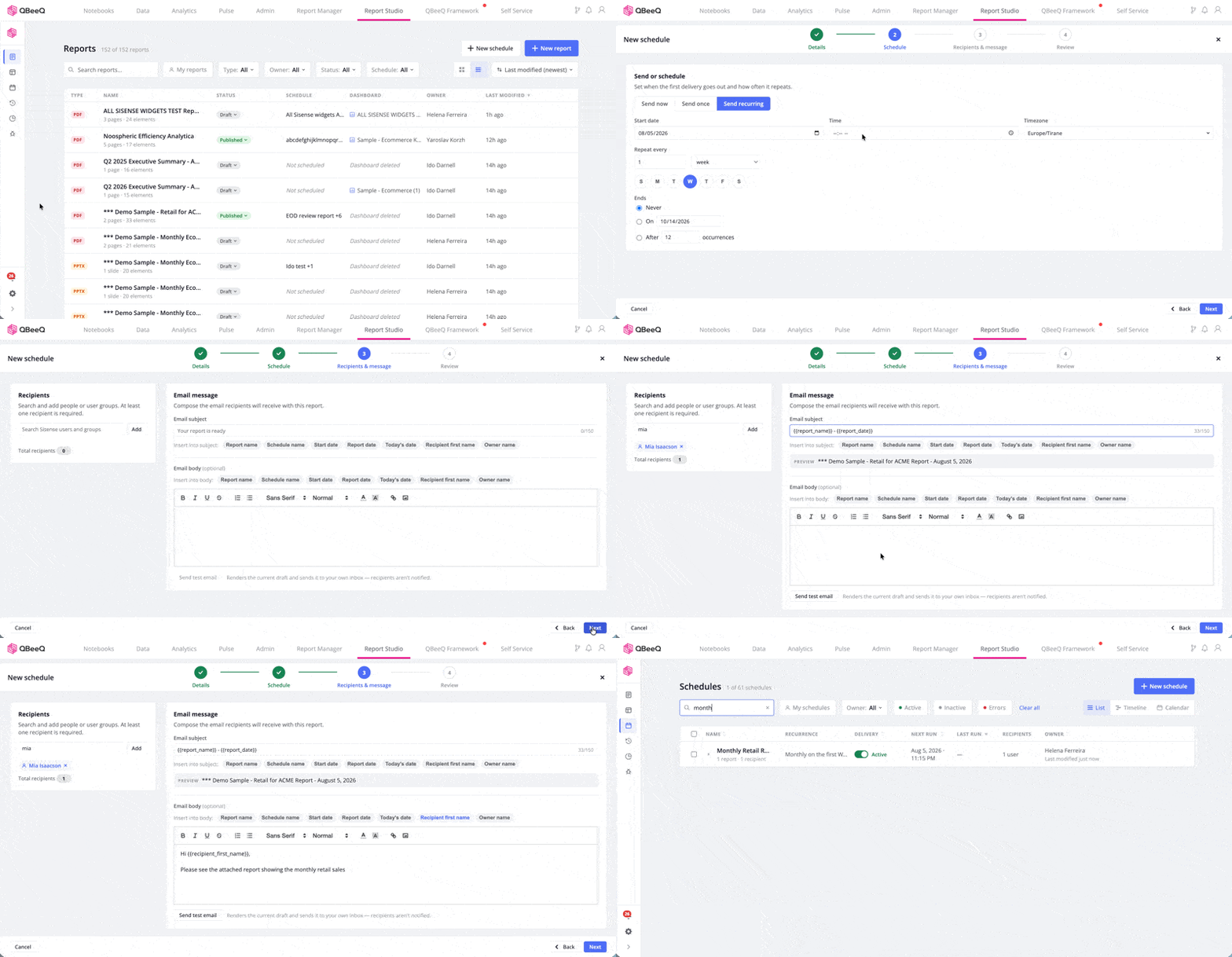
Report Studio Deliver – Reports go out on schedule and reflect current Sisense data every time, or export on demand in seconds. Set a cadence once, define the recipients, and let it run – no manual re-export, no reassembly, no coordinating across separate tools.
Schedule management – See every schedule in one place. Calendar and agenda-type schedule views show where recipients may be receiving a heavy influx of reports, so delivery timing can be set deliberately.
Schedules list and management
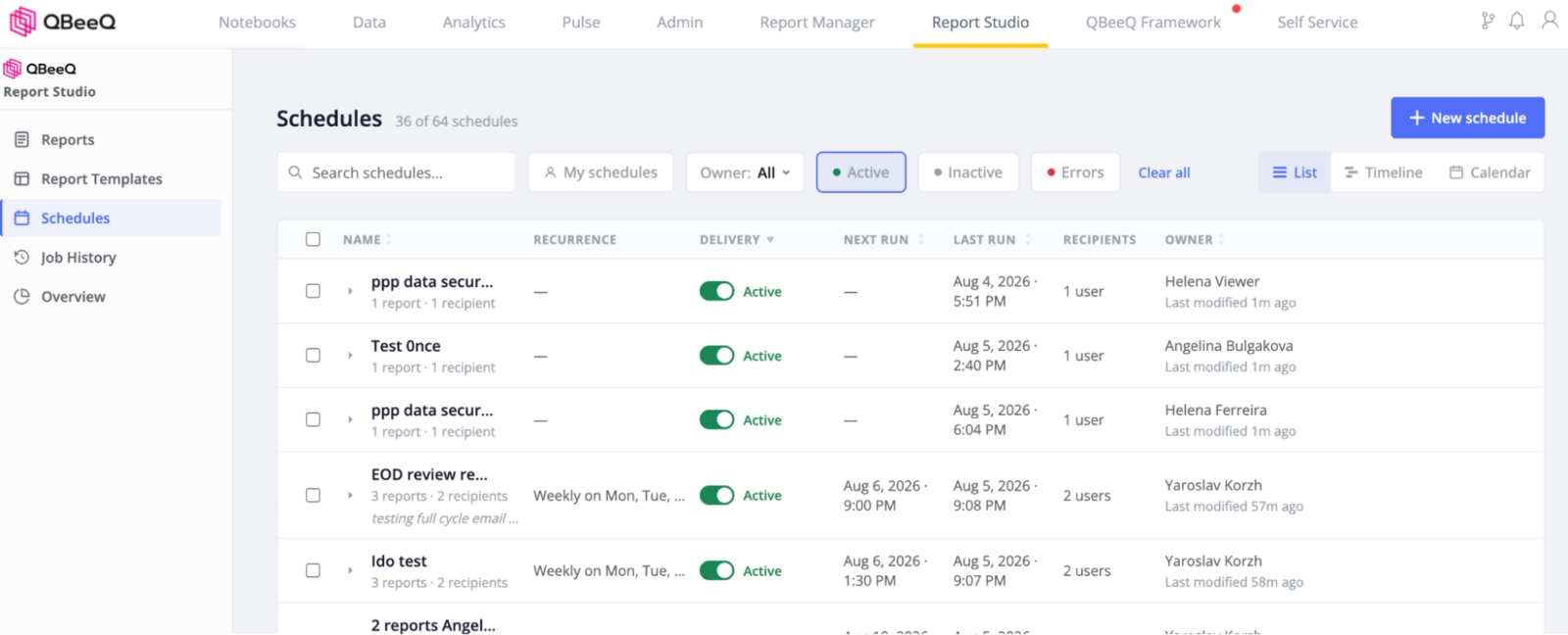
Standard recurrences – Send now or later. Set a recurrence to start and end on a specific date, after a set number of occurrences, or run indefinitely – by day, week, month, or quarter.
Schedules heatmap
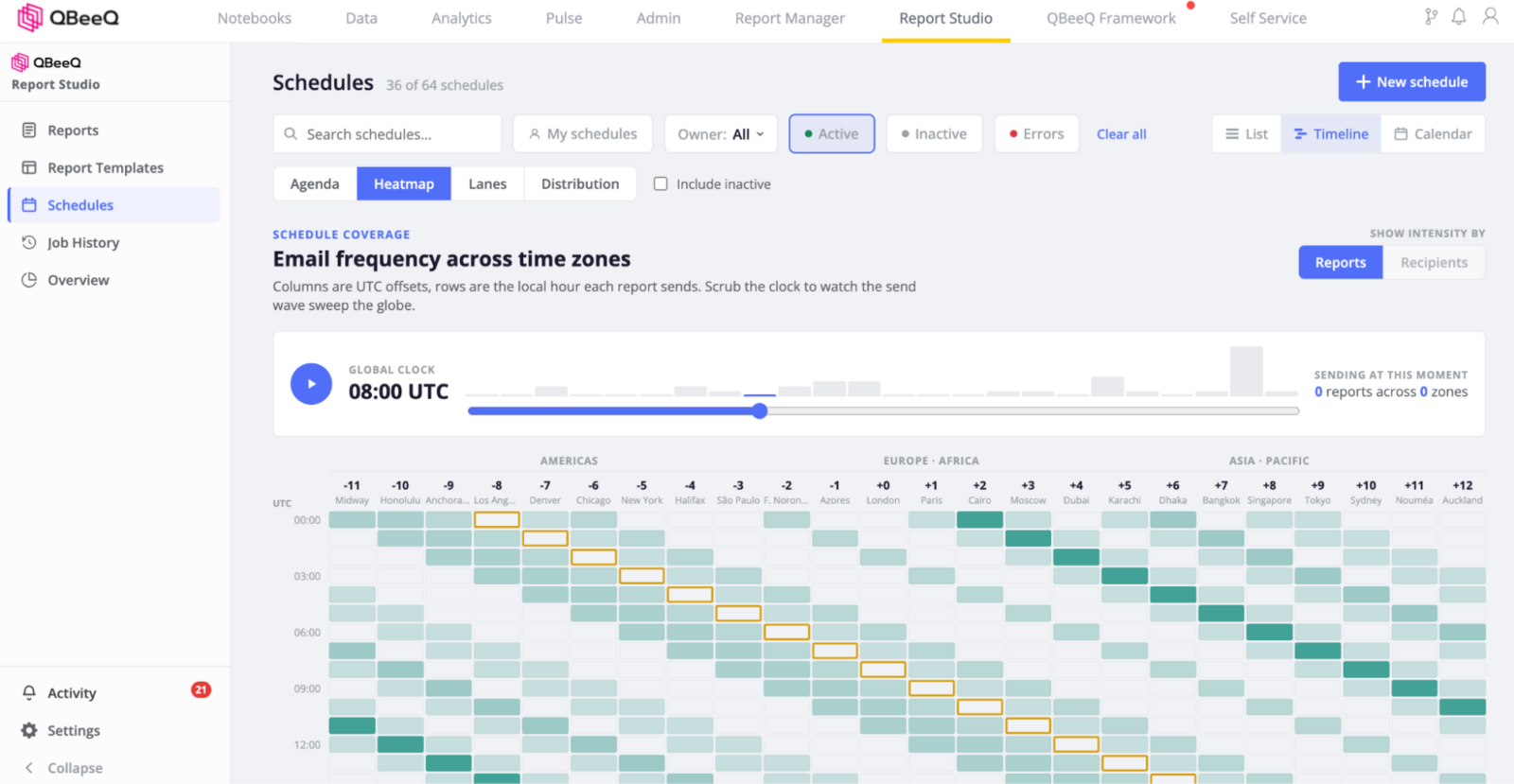
Multi-report schedules – A schedule isn’t limited to a single dashboard’s report. Bundle the reports that matter to a given audience – up to 25MB, zipped, delivered to their inbox together.
Multi-file export – Export a single report as multiple files by looping through a dimension’s values (customer, region, segment, product line), bundled into a ZIP archive.
Schedule report flow, which dashboards’s data is being sent out through which reports, on which schedules to which recipients
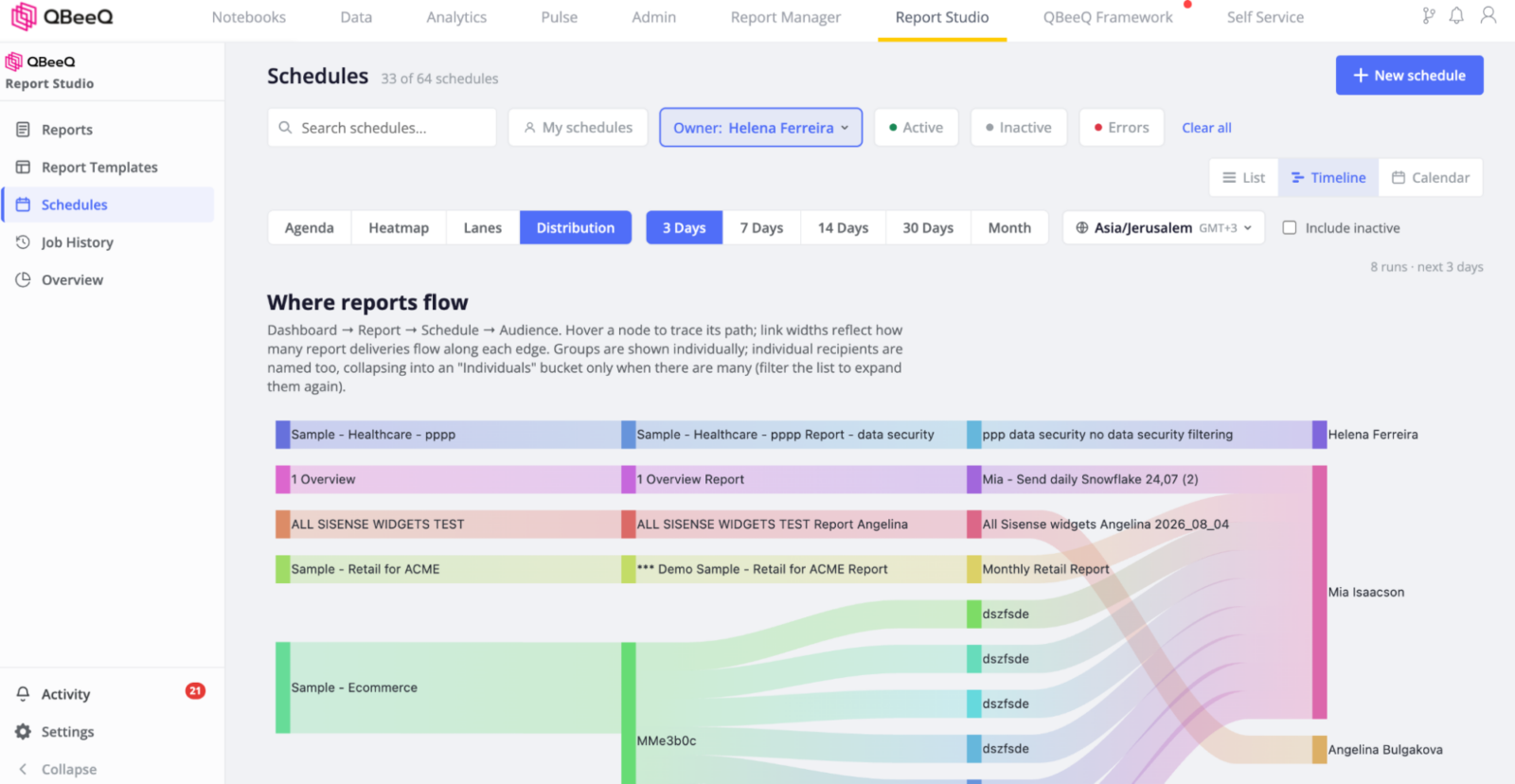
Administration & Reliability
Job history – A full record of every report sent, to whom, and when – nothing gets lost in someone’s inbox.
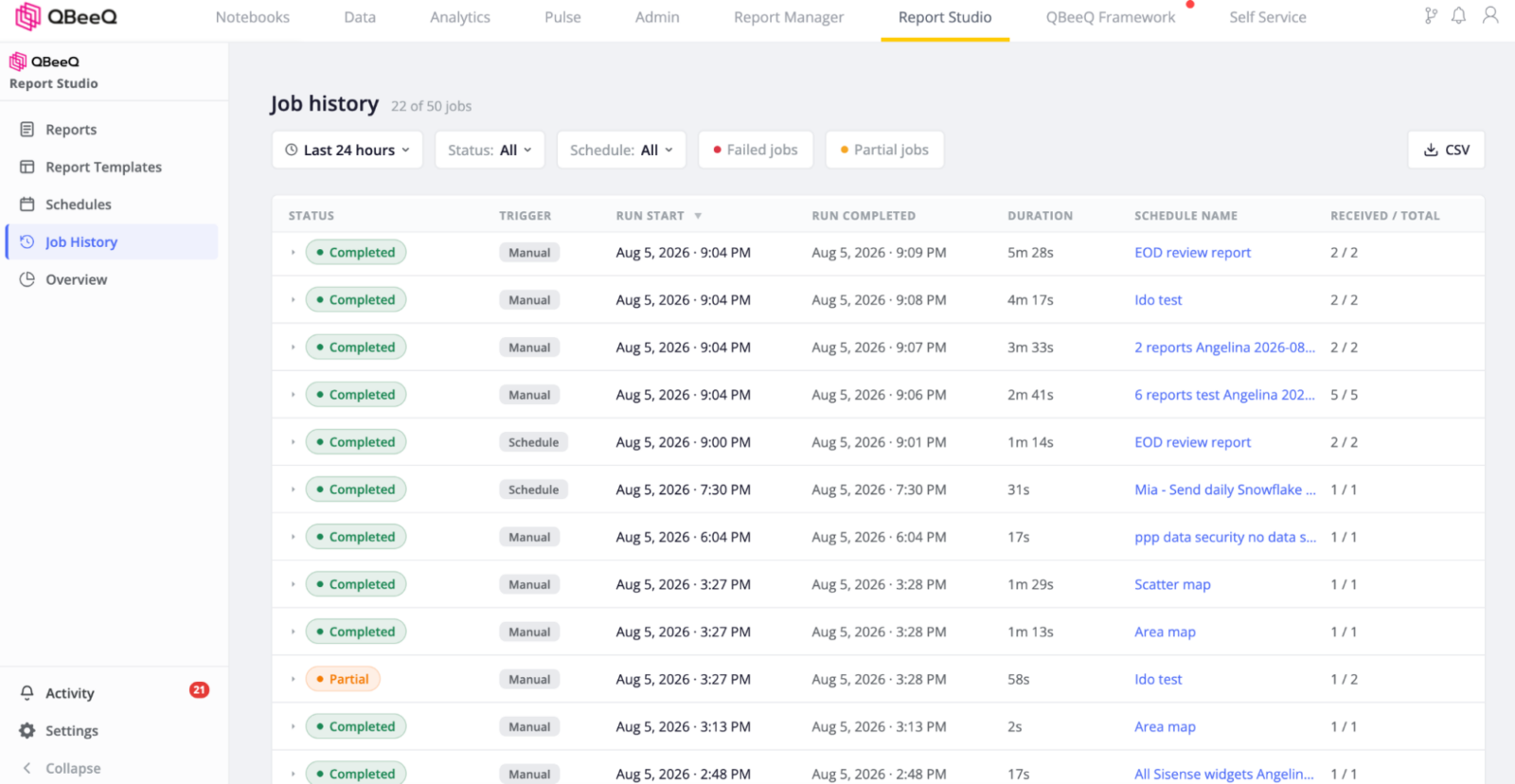
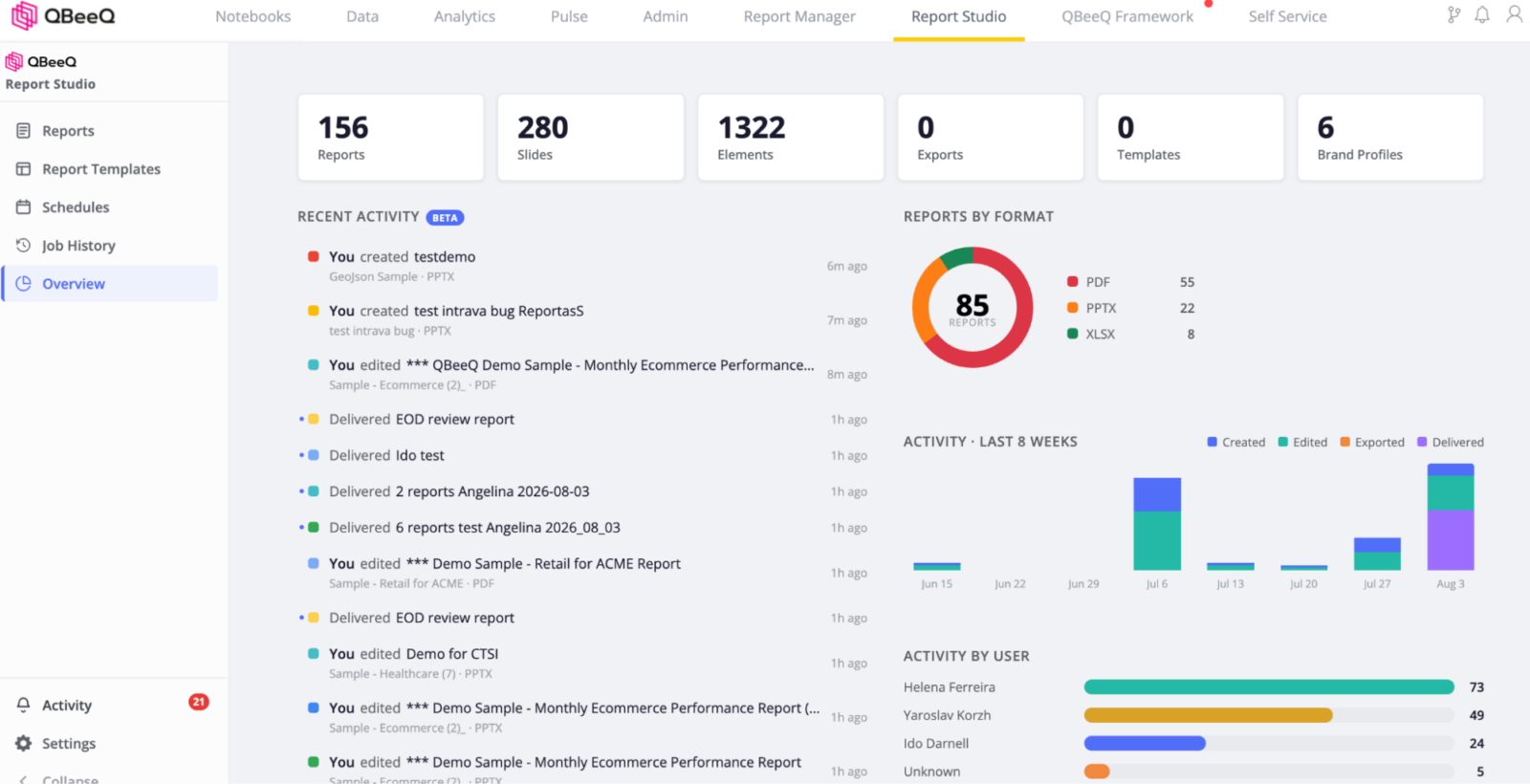
Report meta-management – Administer reports, templates, brands, usage analytics, job history, and job success monitoring from one place. No guesswork investigating a missed send, and no failing reports without logs.
Questions about fit, pricing, or setup? We’re happy to help. Contact us · Visit qbeeq.io.