Free Trial

- Marketplace
Report Studio
Read More

MARKETPLACE
By QBeeQ
This powerful plugin adds a dashboard menu widget to the dashboard which enables the end user to quickly and easily navigate between various dashboards, with a sticky filter mechanism which inherits the filter scope from the origin to the target dashboard.

The QBeeQ Dashboard Navigator enables the designer of the dashboard to present 1 or 2 layers of the dashboards’ hierarchy, and to allow the end user to focus on any area of their analytical storytelling without having to leave the dashboard, and navigate from the dashboard section itself. This way, the designer can group dozens of dashboards into sections (areas of analysis, such as departments of an organization, branches, etc.) and collapse the native Sisense Navigation pane, thus taking full advantage of the valuable Dashboard Real-Estate.
During the navigation the filters will stick and the target dashboard will inherit the filter scope applied on the origin dashboard.
This plugin highly improves end-user experience in both embedded and non-embedded scenarios where users can navigate from within the dashboard directly to the next without leaving the Sisense Dashboard. This plugin is very easily
configured, highly customizable and requires no JS knowledge or code.
Tab style:

Button and Links style:

Link style:

Single level Navigator:

Design and set up:
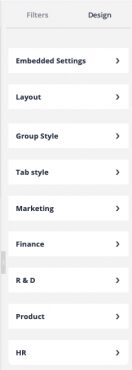
Embedded settings – easy embedding setup:

Layout Settings – define the parent level of the hierarchy:
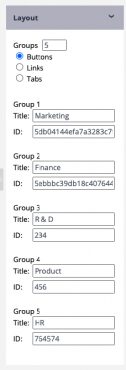
Group Style – design the parent level of the hierarchy:

Tab Style – design the child level of the hierarchy:

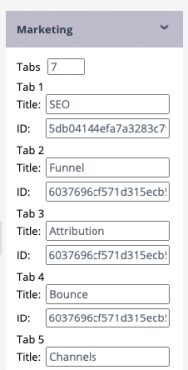
Dashboard tabs set up – define each dashboard per each group:
Contact us for a live demo!